PDF to PES, for Brother and Baby Lock.
Drop a PDF or AI logo and get a PES file your machine can sew.
- Free preview, no signup
- 5 free files with an account
- Files deleted in 30 min
Pinch or Ctrl+scroll to zoom · drag to pan · double-click to zoom in
- Reading your logo
- Matching threads
- Laying stitches
- Checking the sew-out
Garment views, preview and editing tools appear after you drop a logo.
Simulated from the stitch file, not a photo of a real sew-out. Thread sheen and fabric pull vary a little: test-sew one piece before a batch. This sample was digitized earlier by the same engine, so it opened instantly; your own logo is digitized live and takes a little longer.
One studio for everything you stitch
- Logo to embroideryPNG, JPG, SVG or PDF to PES, DST, JEF, EXP, VP3, PEC, XXX, U01, TBF, TAP, DSB and DSZ, with the needle path shown.
- File DoctorOpen any embroidery file and get a 0-100 score: density, short stitches, jumps, small text.
- NamesTowels, baby sets, jerseys, caps: one name or a whole list, zipped.
- Cross-stitchPhoto or logo to a DMC symbol chart with floss amounts and a PDF.
- Approval linkSend your customer a link: they see it stitch out on the garment and approve.
Measured, not claimed
Every engine change runs our benchmark of 28 test logos; these are the numbers from the last run (2026-11-26).
- 28/28logos pass every check
- 0.96median shape match (IoU) with the artwork
- 0.0%short stitches (under 0.3 mm) at most
- 28/28files re-read correctly in all 12 formats
- 1.5 smedian engine time per logo, on our test machine (the live server is slower)
Checks: shape match at least 0.85, short stitches under 2%, counted in every written file the way a pre-flight checker reads it, every format re-readable, stitch count unchanged on re-read. 7 of the logos are lettering, run with the OCR text path. Times are engine-only, measured on our test machine at the benchmark sizes; the live server is slower, and a large or very detailed design, or one waiting behind other jobs, takes longer.
Same logo, two ways to stitch it
Drag the handle. Left: our file. Right: a naive fill of the same artwork, the way a raw auto-trace stitches it.
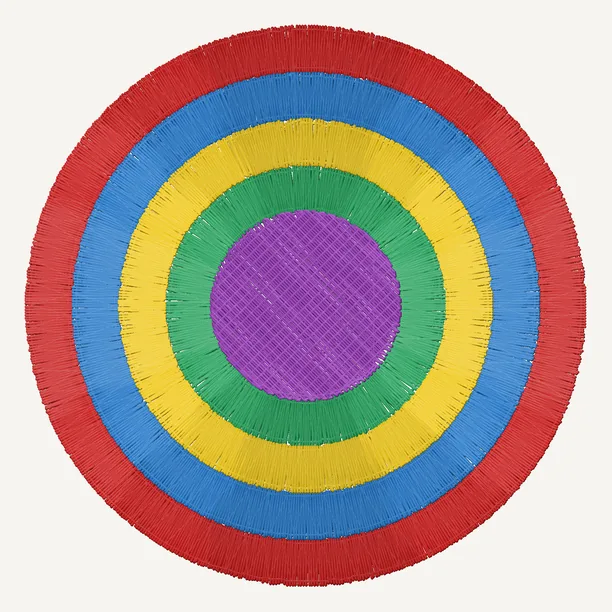
 Temsor Stitch5,752 stitches · 4 jumps · 4 trimsNaive fill3,296 stitches · 1,106 jumps · 0 trims
Naive fill: the artwork's colours as horizontal rows 0.4 mm apart, stitches up to 7 mm, no underlay, no pull compensation, no satin, a jump (never a trim) between pieces. Grey lines are untrimmed jump threads you'd clip by hand. Both drawn by the same renderer at 84 × 84 mm (scripts/make_compare.py).
About PDF → PES
The simulation above is the file itself, stitch by stitch, so you see the result before you thread a needle.
Vector pages from PDF or AI are drawn at your stitch size; flat-colour logos work best.
PES is the native format of Brother and Baby Lock embroidery machines. It stores every stitch, jump and trim plus the thread colour of each step, so the machine screen shows the colour sequence for you. Machines without an automatic thread cutter, such as the Innov-is M330E, don't trim the jumps inside a colour: clip those by hand.
We name each colour with the Brother thread your machine will display and check the design against Brother hoops from 4×4" up to the 10⅝×16" large frame. If it doesn't fit, one click shrinks it to the hoop you have. Innov-is M330E and other 4×4" machines take at most 100 × 100 mm: the Left chest 90 preset fits.
Brother hoops
The hoop check covers the common Brother hoops, 4×4" (100×100 mm), 5×7" (130×180 mm), 6×10" (160×260 mm) and 8×12" (200×300 mm), and the large frames of the large-field models such as the Luminaire and Stellaire: 9½×9½" (240×240 mm), 10×10" (254×254 mm), 14×7" (360×180 mm), 10⅝×10⅝" (272×272 mm), 9½×14" (240×360 mm) and 10⅝×16" (272×408 mm). The 10×10" and 14×7" are magnetic frames.
The large frames only fit those models; the Innov-is M330E and other 4×4" machines sew at most 100 × 100 mm. The download step names the smallest hoop that holds your design and says when only a large-field model takes it, and one click shrinks it to the hoop you have.
How it works
Drop your logo
PNG, JPEG, WebP, SVG or PDF/AI, or paste it. A clean logo with a few flat colours sews best.
Watch it stitch, fine-tune it
The simulation is the real file: every stitch in sewing order. Quality notes flag tiny text or hairlines, and you can click any part to change its thread, stitch, direction or density.
Download for your machine
Pick your machine and get the right format, hoop check and a printable production sheet.
For workshops
Run client jobs without the email chain.
You send the link. We do not email your customer.
- Approval linkThey watch the stitch-out on the garment and approve, or ask for a change. The link lasts 14 days.
- LookbookChest, sleeve and cap on one page, with one PDF.
- Production sheetThreads in sewing order, size and stitch count. DST stores no colours.
- Library, if you chooseAn upload is deleted within 30 minutes. An approval link keeps its stitch file for 14 days. The library keeps stitch files only when you tick the box.
Examples
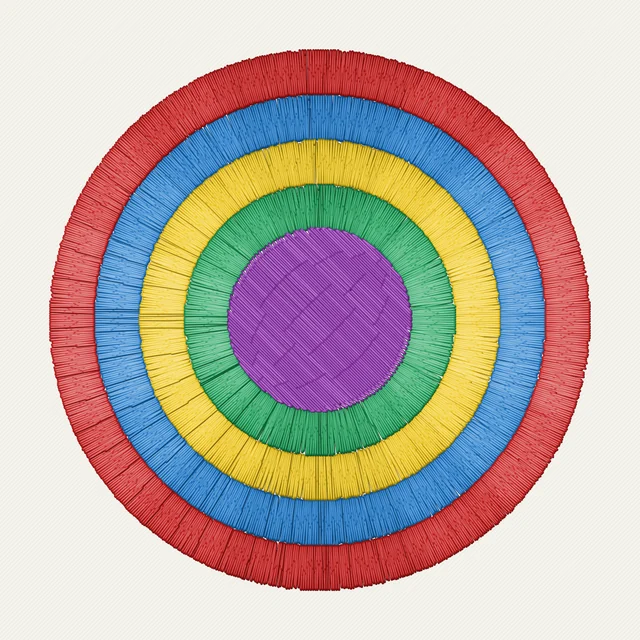
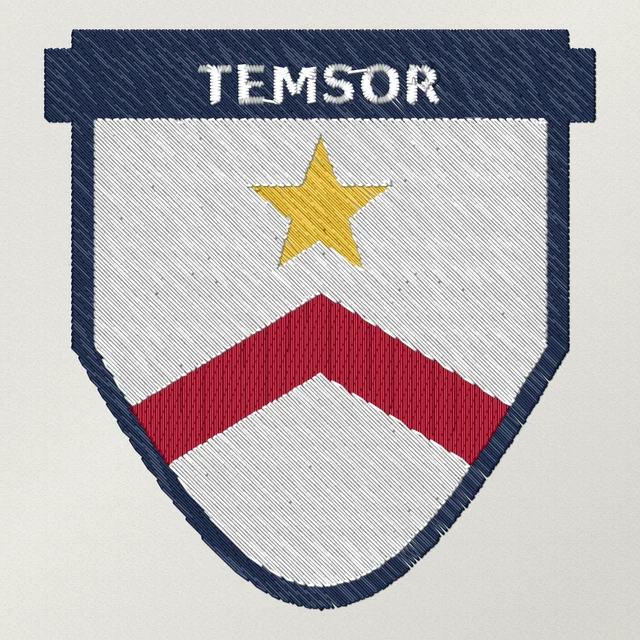
Our sample logos and the stitches they become. Pick one to run it yourself.



Works with your machine
- Formats
- PES
- DST
- JEF
- EXP
- VP3
- PEC
- XXX
- U01
- TBF
- Machines
- Brother · Baby Lock (PES) · Janome (JEF) · Tajima and most commercial machines (DST) · Melco · Bernina (EXP) · Husqvarna Viking · Pfaff (VP3) · Singer (XXX) · Barudan (U01)
- Privacy
- Files are deleted within 30 minutes (approval links you create: 14 days). Stitch files stay in your library only if you choose to keep them, until you delete them. A design you choose to send with a sew-out report is kept within 12 months. Processed on our own server, never sent to an outside AI service, never used for training. Privacy notice
Our promise
Preview, simulation and production sheet are always free, and re-running a design at another size or fabric costs nothing.
New accounts get 5 files free, and free accounts are topped up to 3 files each month. Every purchase is covered: if a file sews badly, send us a photo of the sew-out and we fix it for free or refund that credit.
Questions
Which file formats do you make?
PES (Brother, Baby Lock), DST (Tajima and most commercial machines), JEF (Janome, Elna), VP3 (Husqvarna Viking, Pfaff) and EXP (Bernina, Melco). Pick your machine in the download step and we suggest the right one.
Is it really free?
Yes. The preview, stitch simulation and production sheet are free, and new accounts get 5 files free, then free accounts are topped up to 3 files each month. No card needed.
Which images work best?
Logos with a few flat colours and clean edges. A vector file (SVG, PDF or Illustrator .ai) is best: it is drawn sharp at full size. Otherwise a PNG with a transparent background, at least 500 px wide. Photos and soft gradients are reduced to a handful of thread colours, so they lose detail.
How close is the simulation to the real sew-out?
It draws the exact needle path of the file: same stitches, same order, jumps and trims included. Fabric, stabilizer, tension and machine still matter, so sew a test on a scrap before a production run.
Can I change how a part is sewn?
Yes. Turn on Edit regions and click a part: pick its thread colour (or merge it into another thread), sew a column as satin or fill, turn the fill direction, make it lighter or denser, or drop the underlay. The density map, X-ray (underlay only) and What changes views show the effect before you download.
How small can text be?
Lettering under about 6 mm tall does not read well on fabric. We flag it in the quality notes; make the design wider or shorten the text.
Which fabrics are supported?
Woven cotton, denim, knit jersey, piqué, performance stretch, fleece, towel, cap twill, nylon, satin or silk, and leather or vinyl. Each preset changes density, underlay and pull compensation. The extra presets are guidance until a test sew on that cloth.
What happens to my image?
It is kept only long enough to make and deliver your files and is deleted within 30 minutes (a customer approval link you create stays up to 14 days). A design you send with a sew-out report is kept up to 12 months, only if you tick “Send this design too” (your explicit consent; unticked by default). Your account keeps your credits and which designs you have unlocked. If you tick Keep the stitch files, we also keep those stitch files until you delete them, never the image itself, and there is no public gallery of uploads.